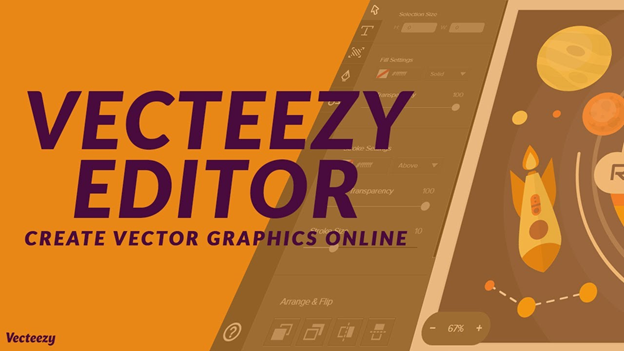
Introduction to Vecteezy Editor and Its Role in Digital Design
Vecteezy Editor is a browser-based vector graphics editing tool designed to help users create and customize scalable vector designs without installing professional software. It is part of the broader Vecteezy platform, which is known for offering stock vectors, SVG files, illustrations, and creative assets. The editor allows users to modify these assets directly online, making it a convenient solution for fast and flexible design work.
In modern digital design, tools like Vecteezy Editor have become increasingly important because they remove the technical barriers associated with traditional software. Instead of relying on complex desktop programs, users can simply open a web browser and start editing graphics instantly. This approach supports the growing demand for lightweight, cloud-based creative tools that are accessible to beginners, freelancers, and professionals alike.
Vecteezy Editor is widely recognized as a practical “online vector editor” and “SVG editor” that simplifies creative workflows. It is especially useful for social media content creation, logo customization, and quick design adjustments, making it a valuable tool in today’s fast-paced digital environment.
Understanding How Vecteezy Editor Works as a Browser-Based SVG Tool
Vecteezy Editor operates entirely within a web browser, meaning users do not need to download or install any software. This cloud-based structure makes it highly accessible and compatible with most modern devices. The editor loads a canvas where users can import or select vector files and begin editing immediately.
Once inside the editor, users can manipulate vector elements such as shapes, text, colors, and layers. Every change is displayed in real time, which helps improve workflow efficiency and creative experimentation. Since it is built for SVG (Scalable Vector Graphics), the designs remain sharp and high-quality at any size, which is essential for digital and print applications.
The integration with the Vecteezy library further enhances its usability. Users can directly access thousands of free and premium vector assets, customize them, and export final designs in formats like SVG, PNG, or JPG. This seamless workflow makes Vecteezy Editor a strong competitor in the online design tool category.
Key Features That Make Vecteezy Editor a Popular Design Tool
Vecteezy Editor includes a variety of features that support both beginner and intermediate designers. One of its most important capabilities is vector editing functionality, which allows users to adjust paths, shapes, and anchor points with precision. This makes it suitable for creating logos, icons, and simple illustrations.
Another important feature is its template and asset integration system. Users can browse a large collection of ready-made designs and customize them directly in the editor. This significantly reduces design time and helps users produce professional-looking visuals without advanced skills. The availability of editable SVG files also enhances creative flexibility.
The tool also provides essential design controls such as layering, alignment, text editing, and color customization. These features are designed to be intuitive, allowing users to focus more on creativity rather than technical complexity. As a result, Vecteezy Editor is often described as a beginner-friendly online vector design tool with professional-level output capabilities.
Advantages of Using Vecteezy Editor for Designers and Creators
One of the biggest advantages of Vecteezy Editor is its accessibility. Since it runs in a browser, users can access it from virtually anywhere without needing powerful hardware. This makes it especially useful for students, freelancers, and remote workers who require quick and reliable design tools.
Another major benefit is its speed and simplicity. Traditional design software often requires installation, updates, and a learning curve, while Vecteezy Editor allows users to start designing immediately. This makes it ideal for quick edits, social media graphics, and content creation tasks that require fast turnaround times.
Cost-effectiveness is also a significant advantage. Vecteezy Editor is free to use, which makes it highly appealing for individuals and small businesses. When combined with the large collection of free vector assets, it becomes a powerful solution for users who need quality design tools without investing in expensive software subscriptions.
Vecteezy Editor vs Traditional Vector Graphics Software
When compared to traditional software like Adobe Illustrator, Vecteezy Editor offers a more simplified and accessible experience. While professional tools provide advanced features for complex illustration work, they also require technical knowledge and system resources. Vecteezy Editor removes these barriers by focusing on essential design functions.
Traditional vector design programs are often used for high-end commercial projects, branding systems, and detailed illustrations. In contrast, Vecteezy Editor is designed for quick customization and lightweight design tasks. This makes it more suitable for users who prioritize speed and convenience over advanced functionality.
However, both tools can complement each other depending on user needs. Many designers use Vecteezy Editor for quick drafts, idea development, or simple edits before moving to more advanced software for final production. This hybrid workflow reflects how modern digital design tools are used in practice.
Common Use Cases of Vecteezy Editor in Real-World Projects
Vecteezy Editor is widely used in digital marketing and social media design. Content creators often use it to customize banners, promotional graphics, and posts for platforms like Instagram, Facebook, and YouTube. Its fast editing capabilities make it ideal for producing visually engaging content on tight deadlines.
It is also popular among freelancers and students who are learning graphic design. Because it is simple and accessible, it helps beginners understand fundamental design principles such as composition, typography, and color balance. This makes it a useful learning tool for developing basic design skills.
Small businesses also benefit from Vecteezy Editor by using it for branding materials, flyers, and simple logo designs. Instead of hiring professional designers for every task, they can quickly create and modify visual content in-house. This flexibility makes it a valuable resource for startups and independent entrepreneurs.
Importance of SVG Editing in Vecteezy Editor
SVG editing is at the core of Vecteezy Editor’s functionality. SVG, or Scalable Vector Graphics, is a widely used format that ensures images remain crisp and clear at any size. This is particularly important for logos, icons, and responsive web design where scalability is essential.
Vecteezy Editor allows users to directly manipulate SVG files in the browser, adjusting elements without losing quality. This makes it more efficient than raster-based editing tools, which often suffer from pixelation when resized. The ability to edit vectors in real time enhances productivity and design accuracy.
Because SVG files are lightweight and widely supported across digital platforms, Vecteezy Editor becomes a practical tool for web designers and developers. It simplifies the process of creating optimized graphics for websites, applications, and digital interfaces.
Limitations of Vecteezy Editor in Professional Design Workflows
Despite its strengths, Vecteezy Editor does have certain limitations. It is not designed to replace advanced professional software, so it lacks some high-level features required for complex illustration or detailed graphic design work. Users working on large-scale branding projects may find it restrictive.
Another limitation is its dependency on internet connectivity. Since it is a browser-based tool, it requires a stable connection to function properly. This can be a disadvantage in areas with unreliable internet access or when working offline.
Performance can also become an issue with very complex vector files. While the tool handles simple and moderate designs well, highly detailed projects may not run as smoothly as they would in dedicated desktop applications. This makes it more suitable as a complementary tool rather than a full replacement.
Future of Vecteezy Editor and Online Graphic Design Tools
The future of Vecteezy Editor is closely linked to the rise of cloud-based design platforms and AI-powered creative tools. As digital content creation continues to grow, demand for fast, accessible, and browser-based editors is expected to increase significantly.
Improvements in technology may lead to more advanced features being added to tools like Vecteezy Editor, such as AI-assisted design suggestions, smarter templates, and enhanced collaboration features. These upgrades will further improve usability and efficiency for creators.
As online design ecosystems continue to expand, Vecteezy Editor is likely to remain an important tool for quick vector editing and template customization. Its simplicity, combined with its integration into a large asset library, ensures its continued relevance in the evolving world of digital design.
Conclusion: Why Vecteezy Editor Is a Valuable Creative Tool
Vecteezy Editor stands out as a simple yet powerful online vector editing tool that makes design accessible to everyone. Its browser-based structure, SVG editing capabilities, and integration with a vast asset library make it highly useful for quick and efficient creative work.
While it may not replace professional-grade software for advanced projects, it offers an excellent solution for beginners, freelancers, marketers, and small businesses. Its ease of use and accessibility make it one of the most practical free design tools available today.
Overall, Vecteezy Editor plays an important role in modern digital design workflows by providing a fast, flexible, and user-friendly platform for creating and customizing vector graphics directly in the browser.